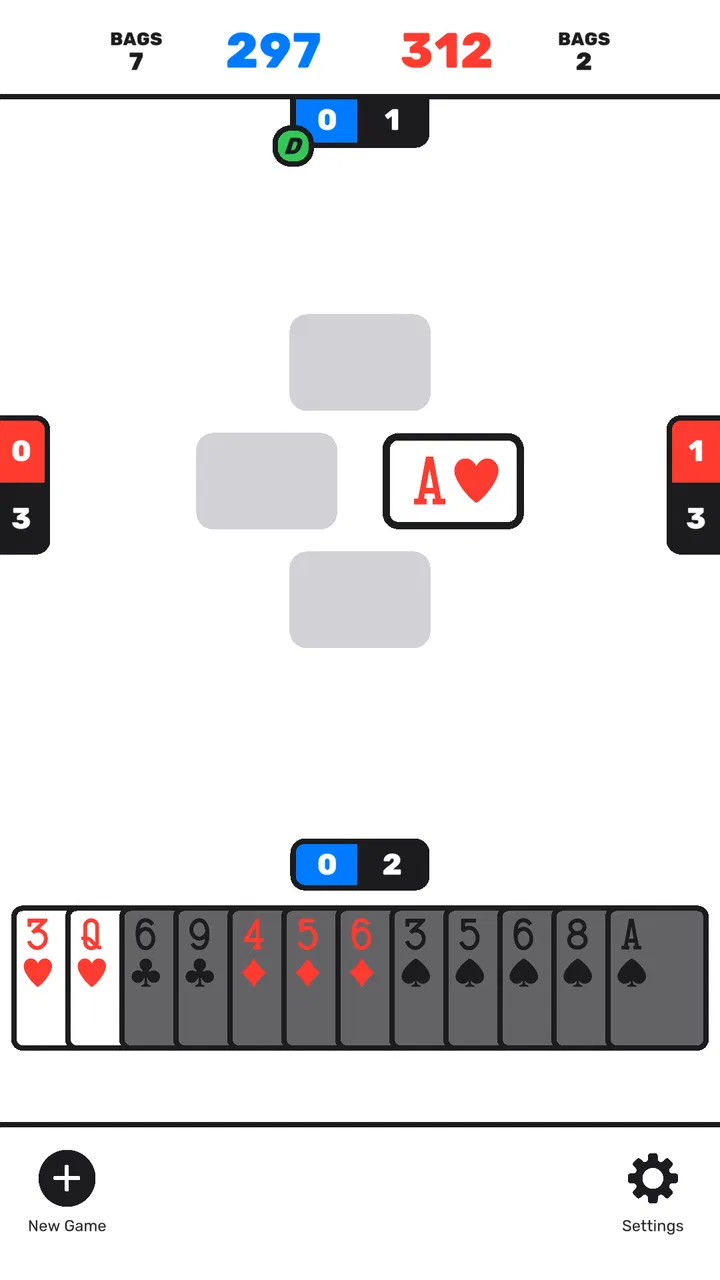
Spades by Staple Games
- 4.5
- Rating
- 500.00K
- Installs
- Free
- Price

 Analysis by App-foxy
Spades by Staple Games is the kind of card game I reach for when I want something familiar without committing to a long session. It is free, rated for Everyone, and built around the classic trick-taking game rather than a large collection of unrelated modes. That narrow focus is its biggest strength: I can open it, settle into a hand, and understand the objective immediately.
My overall impression is positive, but this is not a game I would recommend blindly to every card player. It works best for someone who already enjoys Spades or wants a straightforward digital version for quiet, short sessions. If you are looking for a deep multiplayer community, extensive customization, or a broad card-game hub, this feels more limited. If you want a clean way to play a familiar game on a phone, it is much easier to appreciate.
What playing Spades by Staple Games feels like
The basic appeal is the rhythm of Spades itself: estimate what you can win, follow the suit when required, use spades carefully, and try to make your bid without giving away too much. I like that the game rewards attention more than frantic tapping. A good hand is not only about the cards I receive; it is about remembering what has already been played and deciding when a strong card is more valuable than a quick trick.
You May Also Like

 Blood Strike: 2.5 Anniversary
Blood Strike’s Loadouts Turn Every Drop Into a Tactical Gamble
A close look at Blood Strike’s custom loadouts: how fast access to signature weapons reshapes its battle royale rhythm, rewards preparation, and narrows the gap between fights.

 Pandora - Music & Podcasts
Pandora’s Music Is Easy to Start, but Harder to Recover
Pandora’s strength is its low-effort path from a seed to a station. Its weak spot is how much confidence it asks you to place in connection, setup, and quiet recovery.

 8 Ball Pool
8 Ball Pool Is Built on Rivalries, Rematches, and Routine
A close look at the rivalries, rematches, shared routines, and unanswered safety questions that turn a quick pool match into a persistent mobile community.

 Samsung Music
Samsung Music’s Quiet Strength Is Playing What You Already Own
Its reach comes less from spectacle than from dependable access to a personal library. That simplicity is both the app’s strongest retention engine and its ceiling.

 AccuWeather: Weather Radar
AccuWeather Review: A Quick, Clear Forecast for Everyday Decisions
For everyday plans, the best forecast is the one you can understand quickly. AccuWeather makes rain timing, radar, and local conditions easy to act on, with a few trade-offs.

 Hill Climb Racing
Why Hill Climb Racing Still Turns Crashes Into One More Run
A tiny car, a bumpy hill and one more upgrade: Hill Climb Racing keeps resurfacing because its simple chaos makes every near-miss feel personal.
More From Our News Desk



The developer, Staple Games, keeps the experience focused on that central card-game loop. There is no need to learn a complicated progression system before playing. That makes the first few rounds approachable, especially for somebody who knows the rules from family games but has not played recently. The familiar structure also means I can concentrate on decisions instead of trying to understand a crowded interface.
The game has reached over half a million installs and holds a 4.5 average from roughly thirty-nine thousand ratings. Those figures suggest that it has found a sizeable audience among people who want this specific type of card game. I would not treat popularity as proof that every player will enjoy it, but it does make the app feel like a well-established choice rather than an obscure experiment.
The first place new players can get stuck
Most confusion in Spades does not come from tapping the wrong button. It comes from misunderstanding the consequences of a bid. Before starting a hand, I recommend thinking about how many tricks the cards can realistically support, not how exciting the strongest cards look. A hand with a high spade may still be awkward if the rest of the suits leave few safe ways to control the lead.
New players can also misread the importance of following suit. If another player leads a suit I hold, I generally need to play that suit rather than use a spade immediately. That rule changes the value of every card in my hand. A low card can be useful because it lets me get rid of a weak option, while a high card can become dangerous if it forces me to win a trick I did not plan to take.
My practical advice is to treat the opening hands as practice rather than a test. Watch the order in which cards disappear, notice when spades enter a trick, and avoid judging the game by one unlucky deal. The most useful early habit is to separate “cards that can probably win” from “cards that I want to win with.” Those are not always the same cards.
Setup checks before blaming the game
Spades is available at no cost, and its age rating is Everyone, which makes it an easy option for a shared device or a casual family setting. It supports Android devices running version 7.0 or later, so an older phone may be the first thing to check if installation or opening fails. The current version is 2.07, and keeping the app current is a sensible first step when the store offers an update.
If the game will not install, I would check the device’s Android version, available storage, and whether the app store is functioning normally before assuming the game itself is broken. A restart can also clear a temporary installation problem. These are ordinary checks, but they matter more with a simple app because there are fewer visible settings to explain what went wrong.
For a smooth first session, I suggest opening the game when the phone is not busy with several demanding tasks. Close an app that has frozen in the background, restart the device if the screen is behaving strangely, and then try again. If the problem is limited to downloading or updating, checking the connection and retrying later is more useful than repeatedly tapping the install control.
There is another small setup issue that is easy to overlook: expectations. This is a focused Spades game, not a general-purpose card table with every variation of the rules. I would begin with the assumption that the experience is designed to get me into a hand quickly. Anyone who needs a particular house rule should first see whether the available play format matches what they normally use.
How I recover when a session goes wrong
When a round feels confusing, I do not immediately restart. I first look back at the last few tricks and ask three questions: which suit was led, whether I followed it, and whether a spade has already changed the trick. That quick review often explains the result. In Spades, a move can look bad only because the earlier cards were forgotten.
If the interface stops responding, my recovery routine is simple: wait briefly, leave the game, and reopen it. If the issue continues, I restart the phone and check whether an update is available. I would avoid clearing app storage as a first reaction, because that can remove local information in some applications and is rarely the safest opening troubleshooting step. A basic restart and update check are less disruptive.
For gameplay recovery, I find it helpful to change the goal of the next hand. Instead of trying to win every possible trick, I focus on making a realistic bid and observing the table. This is especially useful after a frustrating loss. It turns the next round into a learning exercise: I can test whether I am overvaluing single high cards, spending spades too early, or failing to notice that another player has run out of a suit.
A useful habit is to pause before playing a winning card. Ask whether taking the trick helps the bid or merely feels satisfying. Sometimes the correct move is to lose a trick with a low card so that a later lead becomes safer. This is one of the more rewarding parts of the game, and it is also where a casual player can improve without needing a tutorial full of technical language.
When the app may not be the cause
Not every disappointing result is a technical problem. Card games naturally produce uneven hands, and a few poor rounds can make the experience feel unfair even when everything is working normally. I try to judge the app over several sessions rather than one deal. If the cards are dealt differently but the same strategic mistake keeps appearing, the issue is probably my bidding or timing rather than the game.
Connection-related frustration should also be separated from card-game frustration. If another part of the phone is struggling to load content, the device is low on space, or the operating system is outdated, Spades may simply be the app where the problem becomes noticeable. Checking the system first prevents unnecessary reinstalling and gives a clearer idea of whether the failure is specific to this game.
There is also a difference between wanting a different rule set and finding a defect. Players who use unusual house rules, alternate scoring, or a preferred table format may feel that the game is missing something when it is actually offering a more standardized experience. In that situation, a dedicated alternative that advertises those exact rules may be the better choice. I would not choose this title for a group that needs every local variation represented.
Small strategic details that improve the experience
One of the best ways to make short sessions more satisfying is to track voids. When a player cannot follow a suit, that player may later be able to use a spade when that suit is led. I do not need perfect memory; simply noticing who has stopped holding a suit can change how I lead the next trick.
I also avoid treating nil-style thinking as a universal answer. If the particular table or rule format does not support the approach I am considering, forcing that strategy only creates confusion. I first identify what the current game expects, then make decisions within that structure. This is a practical reason to read the on-screen instructions carefully at the beginning instead of tapping through them automatically.
Another useful trade-off involves speed. Playing quickly keeps the session light, but rushing makes it easier to forget which high cards have already appeared. I prefer a two-speed workflow: move quickly through obvious low-risk plays, then slow down whenever a spade, a possible overtrick, or a difficult bid is involved. That keeps the game casual without turning every hand into an impulsive guess.
For a short everyday scenario, imagine waiting for an appointment with only a few minutes available. This game fits that moment better than a large strategy title because I can focus on one hand at a time and stop when the opportunity ends. On the other hand, if I am sitting with friends who want conversation and physical cards, a real deck is still better: it is more social, easier to adapt with house rules, and not dependent on a phone screen.
How it compares with other ways to play
Compared with a physical deck, the app removes setup, shuffling, and scorekeeping. That convenience is its clearest advantage. I can play alone with a phone already in my hand, and I do not need a table large enough for four people. The trade-off is atmosphere. A digital game cannot replace the discussion, teasing, and shared pauses that make a family Spades session memorable.
Compared with a broad card-game app, Staple Games’ title is more focused. That is good if Spades is the game I actually want, because I am not navigating through poker, solitaire, blackjack, or unrelated modes. It is less attractive if I want variety in one download. Someone who plays several card games in rotation may prefer a larger collection, even if each individual game feels less concentrated.
Compared with a highly competitive online card platform, this is better suited to relaxed play than to building a serious competitive routine. Players who care about detailed rankings, large communities, tournaments, or extensive social tools should look elsewhere. I would choose this version for accessibility and simplicity, not for a full esports-like environment.
Who should install it, and who should skip it
I think it is a good fit for a player who already knows basic Spades, wants a free mobile option, and values a direct route from opening the app to playing a hand. It also suits someone relearning the game after years away. The familiar rules provide enough depth for repeated sessions, while the basic premise remains understandable after a short adjustment.
It is less suitable for somebody who dislikes trick-taking games, expects a large amount of customization, or wants a social experience centered on live conversation. It may also disappoint players who judge a card app mainly by the number of modes it includes. The narrow focus is intentional, but that means the game cannot serve every kind of card player.
Because the age rating is Everyone, I can imagine introducing it in a family setting, but I would still explain the rules rather than assume the rating makes the game self-explanatory. Younger or completely new players may need help with bidding, following suit, and understanding why a low card can sometimes be the smart play. The app can provide the table; a patient explanation provides the strategy.
My practical verdict
After spending time with it, I see Spades by Staple Games as a dependable, focused card game rather than an ambitious all-in-one platform. Its free price removes the main barrier to trying it, and the strong average rating reflects why the straightforward format works for many people. The developer has chosen a simple proposition: give players a convenient way to play Spades and let the decisions carry the interest.
The main friction is not installation complexity or a crowded feature set. It is knowing what kind of experience to expect and accepting that the game’s focused format may not match every player’s preferred rules or social style. When a session goes badly, I recommend checking the device and app first, then reviewing the hand before concluding that something is wrong.
My recommendation is simple: choose it if you want quick, familiar Spades sessions with minimal setup. Skip it if you need a rich multiplayer community, unusual house rules, or a large library of card games. For everyone in between, the best approach is to give it a few hands, bid conservatively at first, watch the played suits, and let the game’s deeper decisions reveal themselves gradually.
With a release date of April 20, 2023, and ongoing availability in its current 2.07 version, it has had time to establish its place as a practical mobile option. I would keep it installed for those moments when I want a calm, self-contained card game rather than a demanding distraction. It does not try to be more than Spades, and in this case, that restraint is exactly what makes it useful.
FAQs for Spades by Staple Games
01What is Spades by Staple Games?
Spades by Staple Games is a digital version of the classic trick-taking card game for mobile devices. It lets you play Spades in a straightforward, casual format, usually against computer-controlled opponents or other players depending on the version and available features. The app is designed for quick matches, simple controls, and users who already know the basic rules or want to learn through practice.
02How do you play Spades by Staple Games?
The objective is to estimate how many tricks you and your partner can win, then try to meet that bid during the hand. Spades are always the trump suit, meaning they can beat cards from other suits once spades are played. You must generally follow the suit led when possible, while choosing when to play high cards or spades strategically. The app handles dealing, scoring, and turn order automatically.
03Can I play Spades by Staple Games offline?
The game may support offline play against computer opponents, which is useful when you are traveling or have no reliable internet connection. However, online functions, advertising services, updates, and any multiplayer features may require an active connection. Availability can vary between Android and iOS versions, so it is worth checking the store listing and testing the game in airplane mode before relying on it for completely offline entertainment.
04Is Spades by Staple Games free to download?
Spades by Staple Games is generally offered as a free download, allowing users to start playing without purchasing the app upfront. Like many free mobile games, it may include advertisements, optional in-app purchases, or paid features depending on the platform and current release. Review the app-store listing before installation to confirm the latest pricing, advertising policy, and whether any purchase is needed to remove ads or unlock additional options.
05Is Spades by Staple Games suitable for beginners?
Yes, the app can be a convenient choice for beginners because it takes care of the practical parts of the card game, including dealing, legal card selection, trick tracking, and score calculation. New players may still need time to understand bidding, partnership strategy, and when to use spades. Before downloading, remember that the quality of computer opponents, tutorials, difficulty settings, and multiplayer options may differ by device version.
Pros
- Simple rules make it easy for beginners to start playing.
- Quick rounds fit well into short breaks or casual sessions.
- Clean interface keeps the focus on cards and gameplay.
- Playable offline
- making it useful without a steady connection.
- Smooth performance on most modern Android and iOS devices.
Cons
- Limited customization may disappoint players seeking more control.
- Computer opponents can feel predictable after extended play.
- Ads may interrupt the experience
- especially in the free version.
- Few social features for players who want deeper interaction.
- Replay value may decrease once the standard strategy feels familiar.

Spades by Staple Games
Gallery